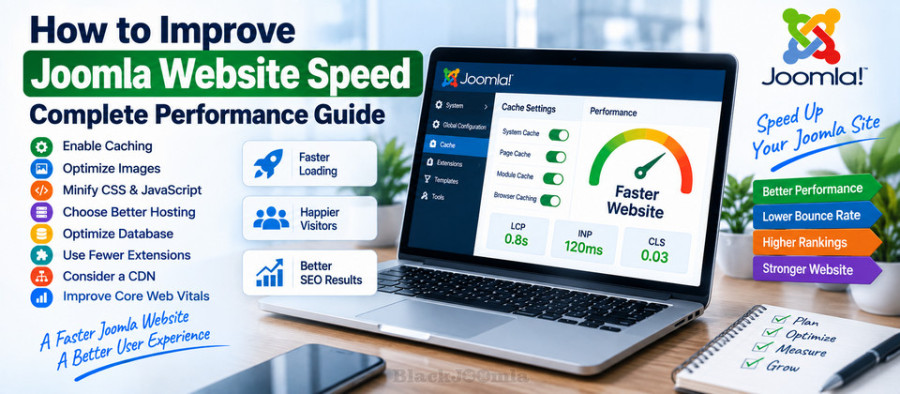
In this guide, you will learn how to improve Joomla website speed, configure caching, optimize images, reduce unnecessary resources, improve server response time, and monitor important performance metrics.
If you are also working on Joomla SEO, you can combine these techniques with our guide to the best Joomla SEO extensions.
Why Is Joomla Website Speed Important?
Website performance affects both usability and the overall quality of the visitor experience.
A slow Joomla website can cause:
- Longer page loading times.
- Higher visitor abandonment.
- Lower mobile usability.
- Poorer interaction performance.
- Higher server resource consumption.
- More difficult navigation.
Speed should therefore be treated as part of your website architecture rather than as a final optimization step.
What Makes a Joomla Website Slow?
There is rarely one universal cause of poor Joomla performance.
Common causes include:
- Slow web hosting.
- Large or unoptimized images.
- Too many extensions.
- Heavy templates.
- Large CSS files.
- Large JavaScript files.
- Third-party scripts.
- Missing caching.
- Poor database performance.
- Unnecessary HTTP requests.
- Incorrect server configuration.
- Unoptimized fonts and media.
Before making changes, measure the website and identify the actual bottleneck.
How to Test Joomla Website Speed
Start by testing several important pages rather than checking only the homepage.
Useful pages to test include:
- Homepage.
- Main category pages.
- Article pages.
- Product pages.
- Landing pages.
- Pages with large images.
Run tests on both desktop and mobile where possible.
Also test the same page more than once. Network conditions, caching, server load, and other factors can affect individual measurements.
Understand Core Web Vitals
Google's Core Web Vitals are important user-experience metrics that help evaluate loading, responsiveness, and visual stability.
The current Core Web Vitals include:
- LCP — Largest Contentful Paint: measures loading performance.
- INP — Interaction to Next Paint: measures responsiveness to user interactions.
- CLS — Cumulative Layout Shift: measures visual stability.
INP replaced First Input Delay (FID) as a Core Web Vital. :contentReference[oaicite:2]{index=2}
These metrics are useful because they move the discussion beyond simply asking whether a page "feels fast" and provide measurable indicators of real user experience.
Enable Joomla Caching
Caching is one of the most important performance features available in Joomla.
Joomla provides several caching mechanisms, including:
- Page Cache
- View Cache
- Module Cache
The Joomla documentation describes these as different levels of caching that can store complete pages, component output, or module output. :contentReference[oaicite:3]{index=3}
Enable System Cache
Depending on your Joomla version and configuration, caching can be configured through:
Administrator → System → Global Configuration → System → Cache Settings
Joomla provides different caching levels, including Conservative and Progressive caching.
The appropriate setting depends on the website and the extensions being used.
Enable Page Cache
Joomla also provides the System - Page Cache plugin.
When page caching is enabled, Joomla can serve a previously generated page rather than rebuilding the page from the database and application logic for every request.
This can significantly reduce server processing for suitable pages. :contentReference[oaicite:4]{index=4}
Be Careful with Page Cache
Page caching is powerful, but it should not automatically be enabled on every type of website.
Interactive pages can contain information that changes according to the visitor, session, login status, shopping cart, or other dynamic data.
For example, Joomla's documentation specifically warns that page caching can cause problems for functionality such as shopping baskets because a cached page may be served instead of dynamically generated content. :contentReference[oaicite:5]{index=5}
If necessary, configure the page cache to exclude specific menu items or URLs.
Clear Joomla Cache After Major Changes
After changing templates, CSS, JavaScript, modules, or other frontend resources, an old cached version can make it appear that your changes have not worked.
Joomla provides cache management through:
Administrator → System → Clear Cache
Joomla's documentation also explains that page cache can remain until it expires and that the administrator can manually clear the relevant cache group. :contentReference[oaicite:6]{index=6}
Optimize Your Images
Images are one of the most common causes of unnecessarily large web pages.
Before uploading an image to Joomla:
- Resize it to the dimensions actually required.
- Compress it appropriately.
- Use modern image formats where supported.
- Avoid uploading extremely large original images for small display areas.
- Use appropriate dimensions for mobile and desktop layouts.
For example, there is little reason to load a 5000-pixel-wide photograph if it will only be displayed at 800 pixels wide.
Use Responsive Images
Different visitors use different screen sizes and devices.
Serving an appropriately sized image can reduce unnecessary data transfer and improve rendering performance.
Joomla's current documentation also notes that browsers can negotiate image versions according to screen size and resolution, and Joomla extensions can generate multiple image versions in different sizes and formats. :contentReference[oaicite:7]{index=7}
Use Lazy Loading for Suitable Images
Lazy loading delays the loading of images that are outside the visitor's immediate viewport until they become necessary.
This can reduce the amount of content that needs to be downloaded during the initial page load.
However, do not blindly lazy-load every image.
Images that are immediately visible and contribute to the main content should be handled carefully because delaying an important above-the-fold image can hurt loading performance.
Reduce Unnecessary Joomla Extensions
Every extension can potentially add PHP processing, database queries, CSS files, JavaScript files, modules, or other resources to your website.
Installing many extensions does not automatically make Joomla slow, but unnecessary or poorly optimized extensions can increase the amount of work required to generate and render pages.
Review your installed extensions regularly and remove extensions that are no longer needed.
Do Not Install Multiple Extensions for the Same Task
Using several extensions that perform the same function can create unnecessary processing and conflicts.
For example, avoid installing several extensions that independently attempt to:
- Minify CSS.
- Optimize JavaScript.
- Generate the same sitemap.
- Manage the same redirects.
- Generate competing canonical tags.
- Control the same caching layer.
A well-configured extension that performs several related optimization tasks can sometimes be preferable to a collection of overlapping extensions.
Optimize CSS
CSS affects how quickly the browser can construct and render a page.
Large or poorly organized stylesheets can increase the amount of data the browser must download and process.
Consider:
- Removing unused CSS where practical.
- Reducing unnecessary stylesheet files.
- Minifying production CSS.
- Avoiding duplicate frameworks.
- Loading only the styles actually required.
Be careful when combining CSS files automatically. Some templates and extensions depend on a particular loading order.
Optimize JavaScript
JavaScript can have a significant effect on responsiveness, especially when large scripts execute during page loading or block the main thread.
Review:
- Third-party scripts.
- Analytics scripts.
- Social media widgets.
- Sliders.
- Animation libraries.
- Unused JavaScript.
- Large frontend frameworks.
Do not automatically delay every JavaScript file. Test the website carefully because delaying scripts can break menus, forms, shopping carts, login systems, or other interactive features.
Use Gzip or Brotli Compression
Text-based resources such as HTML, CSS, and JavaScript can often be compressed before being transferred to the visitor.
Joomla's current Apache configuration documentation includes support for serving compressed CSS and JavaScript assets when the appropriate server modules and files are available. :contentReference[oaicite:8]{index=8}
Brotli and Gzip configuration should normally be handled at the web-server or hosting level rather than by installing several Joomla extensions that attempt to perform the same compression.
Improve Server Response Time
Frontend optimization cannot completely compensate for a slow server.
If the server takes too long to generate the initial response, visitors may experience a delay before the browser can begin downloading the page.
Possible causes include:
- Underpowered hosting.
- High server load.
- Slow database queries.
- Too many PHP processes.
- Incorrect PHP configuration.
- Heavy extensions.
- Insufficient server resources.
If optimization on the Joomla side produces little improvement, test the hosting environment.
Choose Joomla Hosting Carefully
Hosting quality can have a major impact on website performance.
When evaluating Joomla hosting, consider:
- CPU resources.
- Available RAM.
- Storage performance.
- PHP performance.
- Database performance.
- Server location.
- HTTP/2 or HTTP/3 support.
- CDN integration.
- Server-side caching.
A fast Joomla website needs both efficient application code and an adequate server environment.
Use a CDN When Appropriate
A Content Delivery Network (CDN) can distribute static resources through geographically distributed edge servers.
This can be useful for websites whose visitors are located in multiple countries or regions.
A CDN can potentially improve delivery of:
- Images.
- CSS files.
- JavaScript files.
- Fonts.
- Other static resources.
A CDN does not automatically fix a slow Joomla backend or inefficient database queries. It should therefore be considered one part of the performance architecture rather than a complete performance solution.
Reduce the Number of HTTP Requests
Every CSS file, JavaScript file, image, font, and other resource can require network activity.
Modern HTTP protocols have reduced some of the historical cost of many small requests, but unnecessary resources can still increase page complexity and processing.
Review your pages and remove assets that are not actually required.
Optimize Web Fonts
Fonts can contribute to page weight and rendering delays.
Consider:
- Using fewer font families.
- Loading only required font weights.
- Using modern font formats.
- Hosting fonts efficiently.
- Avoiding unnecessary third-party font requests.
Optimize Joomla Database Performance
Joomla websites can become slower when the database contains excessive data, inefficient queries, or poorly optimized third-party extensions.
Before modifying database tables manually, identify the actual source of the problem.
For large websites, database performance should be evaluated alongside PHP execution time and server resources.
Keep Joomla and Extensions Updated
Keeping Joomla, templates, and extensions updated is important for security, compatibility, bug fixes, and performance improvements.
However, do not update a production website blindly.
Before major updates:
- Create a backup.
- Check extension compatibility.
- Test on a staging environment when possible.
- Review the website after updating.
Check Your Template
The template controls a large part of the frontend HTML, CSS, JavaScript, images, and layout.
A visually impressive template can still be unnecessarily heavy.
Check whether your template loads:
- Large JavaScript libraries.
- Unused CSS.
- Multiple icon libraries.
- Large background images.
- External fonts.
- Animations that are not essential.
If your website remains slow despite optimizing Joomla configuration and extensions, temporarily testing a lightweight template can help determine whether the template is contributing to the problem.
Use Browser Caching
Browser caching allows visitors' browsers to reuse previously downloaded resources instead of downloading them again for every page request.
Cache-control headers should be configured carefully so that static resources can be reused while frequently changing content is refreshed appropriately.
This is normally configured at the web-server or CDN level.
Consider Server-Level Caching
In addition to Joomla's application-level caching, hosting environments may provide additional caching layers.
Depending on your hosting architecture, these can include:
- Reverse proxy caching.
- Object caching.
- PHP opcode caching.
- CDN caching.
- Server-side page caching.
Do not stack multiple caching systems without understanding how they interact.
Use Joomla Page Cache Carefully on Dynamic Websites
Page caching is particularly effective for pages that return substantially the same content to many visitors.
However, logged-in areas, personalized content, shopping carts, and other dynamic functions may require special treatment.
Joomla's documentation notes that the Page Cache plugin caches pages for guest visitors and provides exclusion options for menu items or URL ranges. :contentReference[oaicite:9]{index=9}
Improve Joomla Speed Without Breaking the Website
Performance optimization should always be incremental.
A safe workflow is:
- Measure the current performance.
- Identify the largest bottleneck.
- Make one significant change.
- Clear relevant caches.
- Test the frontend.
- Test interactive features.
- Measure again.
- Keep the change if it produces a real improvement.
This approach is much safer than enabling every optimization option at once.
Using a Joomla Speed Optimization Extension
Some Joomla websites need more advanced performance controls than the core configuration provides.
Aimy Speed Optimization PRO is designed to provide additional Joomla performance and optimization features.
A dedicated optimization extension can be useful when you need centralized control over frontend resources and performance-related settings.
However, an optimization extension should complement a good Joomla architecture rather than compensate for poor hosting, an overloaded template, or unnecessary extensions.
Joomla Speed Optimization Checklist
- Test the website before making changes.
- Enable appropriate Joomla caching.
- Configure Page Cache when suitable.
- Clear cache after major configuration changes.
- Optimize large images.
- Use responsive images where appropriate.
- Review lazy loading.
- Remove unnecessary extensions.
- Reduce unused CSS.
- Reduce unnecessary JavaScript.
- Compress text resources.
- Review third-party scripts.
- Optimize fonts.
- Check database and server performance.
- Consider CDN usage.
- Keep Joomla and extensions updated.
- Test Core Web Vitals.
- Measure performance again after optimization.
Frequently Asked Questions
How can I make my Joomla website faster?
Start by measuring the website and identifying the bottleneck. Common improvements include caching, image optimization, removing unnecessary extensions, reducing CSS and JavaScript, improving hosting, and optimizing server configuration.
Does Joomla have built-in caching?
Yes. Joomla provides several caching mechanisms, including page, view, and module caching. :contentReference[oaicite:10]{index=10}
Should I enable Joomla Page Cache?
It can provide a significant performance benefit for suitable pages, especially pages serving the same content to many guest visitors. However, dynamic functionality such as shopping carts may require exclusions or different caching strategies. :contentReference[oaicite:11]{index=11}
Does caching make Joomla faster?
Caching can reduce the amount of work Joomla and the server need to perform for repeated requests, but it is only one part of performance optimization.
Does image optimization improve Joomla speed?
Yes. Large images can account for a substantial portion of page weight. Resizing and compressing images can reduce download and rendering costs.
Is a CDN necessary for Joomla?
No. A CDN is not required for every Joomla website. It can be particularly useful for websites serving visitors across different geographic regions or websites with many static assets.
Can too many Joomla extensions slow down a website?
They can. Extensions may add PHP processing, database queries, CSS, JavaScript, modules, and other resources. Remove extensions that are unnecessary and review the performance impact of heavy extensions.
What are Joomla Core Web Vitals?
Core Web Vitals are Google's user-experience metrics covering loading performance, responsiveness, and visual stability. The current metrics are LCP, INP, and CLS.
Can a speed optimization extension fix every performance problem?
No. An optimization extension can help with certain frontend and resource-level problems, but it cannot automatically fix inadequate hosting, inefficient database queries, an overloaded template, or poorly coded extensions.
Final Thoughts
Improving Joomla website speed is a process rather than a single configuration change.
Start with measurement, identify the largest bottlenecks, and then improve caching, images, frontend resources, extensions, hosting, and server configuration step by step.
Joomla already provides several useful caching mechanisms, so make sure you understand and configure the core performance features before adding additional optimization layers. :contentReference[oaicite:12]{index=12}
For websites that require more advanced optimization controls, a dedicated solution such as Aimy Speed Optimization PRO can provide additional tools.
The goal is not simply to achieve a better score in a testing tool. The goal is to create a Joomla website that loads quickly, responds smoothly, remains stable, and provides a better experience for real visitors.
For the broader SEO strategy, continue with our guide to the best Joomla SEO extensions.