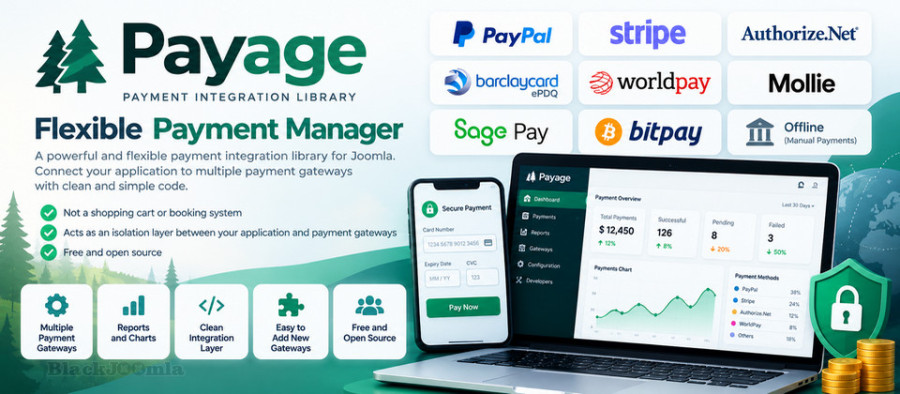
Payment Management
- Centralized Payment Management: Manage payment processes and transactions through a dedicated Joomla component.
- Multiple Payment Gateways: Connect supported payment providers to different Joomla applications.
- Separated Payment Layer: Keep payment processing logic independent from the shopping cart, booking system, or business application.
- Transaction Status Management: Handle payment status information exchanged between applications and payment gateways.
- Reusable Integration: Reduce duplicated code by using the same payment infrastructure across multiple Joomla extensions.
Payment Gateway Add-ons
Payage uses payment add-ons to connect applications with supported payment providers. The available add-ons depend on the Payage version and their compatibility with your Joomla installation.
- PayPal: Use the available PayPal add-ons to integrate supported PayPal payment methods.
- Stripe: Connect Payage with Stripe through its payment add-on.
- Additional Gateways: Extend the integration architecture by developing or updating payment add-ons for other providers.
- Offline Payments: Support manual payment workflows where a compatible offline payment add-on is available.
The maintained version includes Stripe and basic PayPal add-ons. Existing payment add-ons may require updates to work with the new Payage version. If you have additional add-ons, you can provide copies for compatibility review and updating.
Invoices, Reports, and Charts
- PDF Invoices: Generate PDF invoices for payment transactions where supported by the relevant integration.
- Email Invoices: Generate and send invoices to customers or users through supported invoice functionality.
- Payment Reports: Review historical payment transactions and activity.
- Statistical Charts: Analyze payment history using charts and reports available in Payage.
API and Developer Features
- Developer API: Provide a common interface for Joomla applications that integrate with Payage.
- Application Integration: Allow compatible eCommerce applications and Joomla extensions to connect to the centralized payment system.
- Extensible Add-on Architecture: Add or maintain payment gateway integrations through add-ons rather than embedding all gateway logic in each application.
- Payment Testing: The Payage Test Component has been incorporated into the main component. Testing can be enabled through the Configuration options in the Joomla administrator area.
- Developer Documentation: Use the developer guide to understand how to build Payage applications and add support for additional payment gateways.
Joomla Extension Integration
Payage was primarily developed for use by its developers' own Joomla components, but it can also be used by other developers who need payment interfaces in their extensions.
- eCommerce Integration: Provide a payment layer for compatible Joomla shopping and eCommerce applications.
- Multiple Applications: Allow different extensions to use payment gateways managed through Payage.
- Reduced Development Complexity: Avoid implementing and maintaining separate payment gateway logic in every application.
- Simplified Testing: Centralize payment integration settings and testing functionality to make development and troubleshooting more manageable.
Benefits of Payage
- Centralized Management: Keep payment integration separate from the main application.
- Flexible Architecture: Connect supported payment gateways through dedicated add-ons.
- Reusable Infrastructure: Use a common payment layer across multiple compatible Joomla applications.
- Developer Friendly: Build custom integrations using the Payage API and developer documentation.
- Joomla 5 and Joomla 6 Compatibility: Use the maintained version designed for these Joomla releases, subject to the compatibility of each payment add-on.
Upgrade and Add-on Compatibility
If you are upgrading from an older Payage release, check your existing payment add-ons before deploying the new version. Some add-ons may need code changes to work correctly with the maintained Payage component and Joomla 5 or Joomla 6.
The Stripe and basic PayPal add-ons are available with the updated version. If you use other payment integrations, provide the relevant add-on copies for review and updating where possible. Always test payment workflows in a suitable test environment before using them on a live website.
Important Note
Payage is a payment integration and management component, not a standalone shopping cart or booking system. It does not provide a complete eCommerce workflow on its own. Its main purpose is to simplify the connection between Joomla applications and payment gateways.
Download
Login to Download
Registration at BlackJoomla is completely free. However, an active membership or an individual file purchase is required to download premium files. Please visit our FAQ for more information.
Note: If you see the warning "The security token did not match." after logging in, simply refresh the page and sign in again.
Get started with 12 free downloads every month!
See our Membership Plans for more details.
Message
Before send message Please study FAQ
All of files compressed by WinRAR - use from Latest WinRAR before install
Password for all files:BlackJoomla.com
Do not use download managers such as IDM or similar software when downloading files. These applications may split a single download into multiple requests, which can cause your download count to be deducted incorrectly.